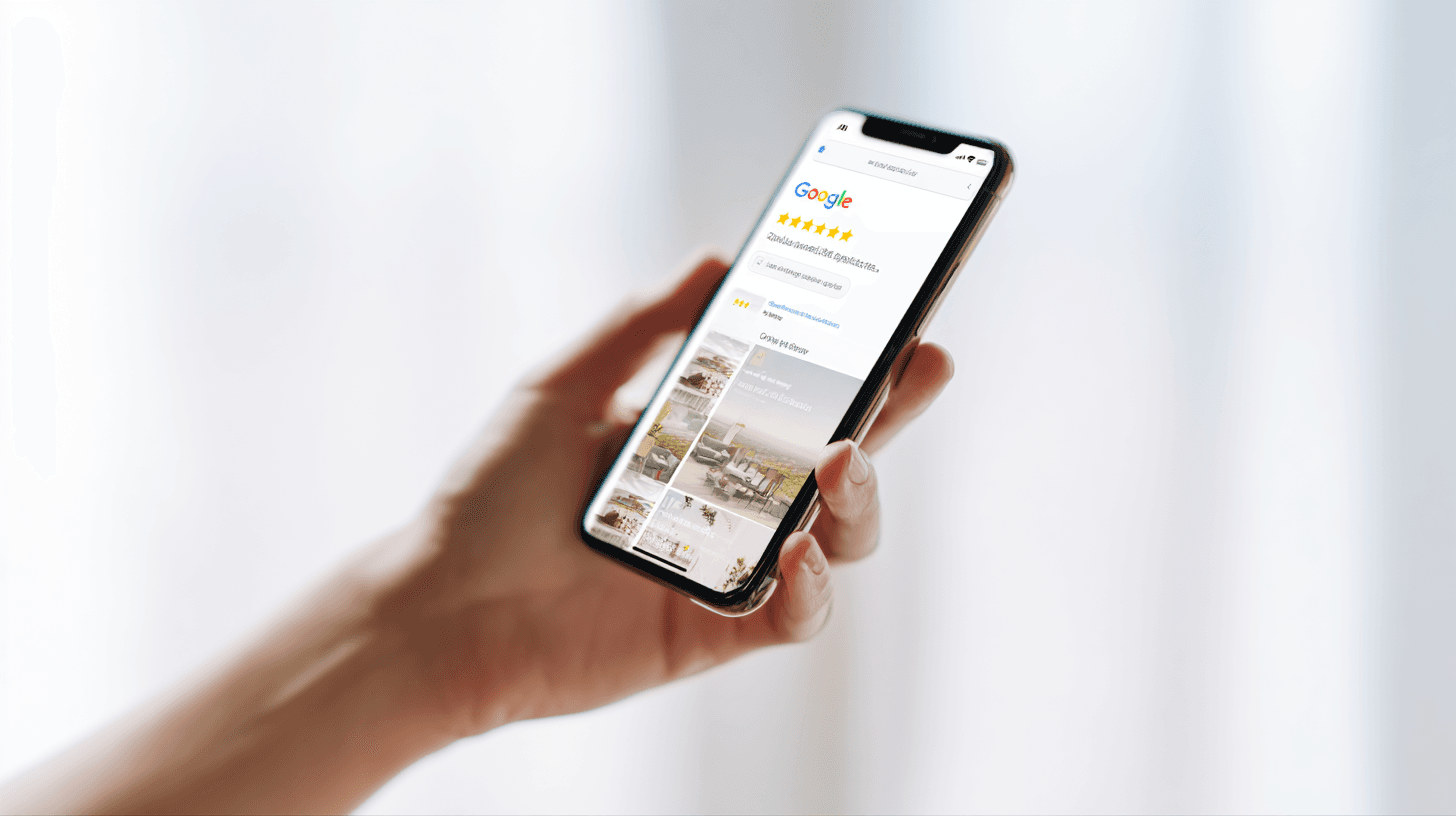
Your Google Business Profile (GBP) is the single most important local SEO asset you own in 2026. It drives map pack rankings, powers Google AI Overviews for local queries, and is the first thing most people see when they search for your business. A fully optimized GBP is worth more than most businesses realize — and most businesses haven't finished setting it up.

Why GBP Matters More in 2026
Google Business Profile has always been important for local search. In 2026, it's become even more critical for a specific reason: Google's AI Overviews pull heavily from GBP data. When someone asks Google "best plumber in Southfield" or "hair salons open now near Detroit," Google's AI-generated answer draws from GBP information — your category, your hours, your rating, your photos, and the keywords in your business description.
A business with a complete, accurate, regularly updated GBP profile is dramatically more likely to appear in AI Overviews than one with an incomplete or stale profile. This isn't speculation — it's the consistent pattern across local SEO analysis in 2025 and early 2026. AI Overviews for local queries use GBP as a primary data source, which means GBP optimization is now simultaneously local SEO optimization and AEO.
Beyond AI Overviews, GBP drives the map pack — the three business listings that appear above the organic results for local searches. Studies consistently show that map pack listings receive 40–60% of the clicks for local queries. If you're not in the map pack, you're competing for the remaining 40–60% with every other business in your city. If you are in the map pack, you have a significant traffic advantage.
The Complete GBP Setup and Optimization Checklist
Most businesses have claimed their GBP but left significant optimization on the table. Work through this checklist against your own profile.
Basic Information
1. Business name — exactly as it appears in the real world. Don't add keywords to your business name unless they're genuinely part of your name. "Detroit Plumbing Service | Emergency Plumber" as your GBP name violates Google's guidelines and can result in suspension. Your name should be "Smith Plumbing" or "Metro Detroit Plumbing" — whatever it actually is.
2. Primary phone number — local number preferred. A local area code (313, 248, 586, 734 for Metro Detroit) signals geographic legitimacy. Toll-free numbers work, but local numbers are preferred for local ranking.
3. Website URL — your website, not a competitor's, not a directory listing.
4. Business address — exact street address, consistent with your website and every other directory listing. NAP (Name, Address, Phone) consistency across the web is a local SEO ranking signal.
5. Service area settings — if you serve customers at their location (contractors, plumbers, mobile services), configure your service areas by zip code or city rather than only showing your business address.
6. Hours of operation — complete and accurate, including holiday hours. A profile showing incorrect hours is worse than one showing no hours — it sends customers to your door when you're closed and destroys trust.
7. Special hours — update these for every holiday. Google reminds you, but most businesses ignore it. A profile showing "Open" on Thanksgiving or Christmas when you're actually closed gets flagged in reviews and damages your reputation.

Categories
8. Primary category — this is the most important single GBP field. Your primary category directly determines which queries your profile is eligible to rank for. Choose the most specific category that accurately describes your business. "Plumber" not "Contractor." "Hair Salon" not "Beauty Salon" if you primarily do hair. "Residential Electrician" not just "Electrician" if residential is your focus.
9. Secondary categories — you can add multiple secondary categories that describe additional services. A plumber might add "Water Heater Installation Service," "Drain Service," and "Emergency Plumber" as secondary categories. These expand your eligibility for related queries.
Strategy note: Research your primary category carefully. Search for your main service in Detroit and look at what categories your top-ranking competitors use. Google doesn't always surface all available categories — searching Google's category list and browsing competitors' GBP profiles reveals options you might not otherwise find.
Business Description
10. Write a complete, keyword-rich business description. You have 750 characters. Use them. Your description should naturally include your primary services, your service area (specific neighborhoods and cities, not just "Metro Detroit"), what makes you different, and a call-to-action. The description is indexed and contributes to your search relevance, so treating it like SEO copy (specific, service-focused, local) outperforms treating it like marketing copy (vague, promotional).
Example of a weak description: "We are a family-owned plumbing business serving the Detroit area with excellent service and competitive pricing. Call us today!"
Example of a strong description: "Licensed residential plumber serving Detroit, Dearborn, Southfield, and Warren since 2009. We specialize in emergency pipe repair, water heater replacement, drain cleaning, and bathroom fixture installation. Available 24/7 for emergencies. Fully licensed and insured in Michigan. Free estimates on non-emergency work."
Photos
11. Minimum 20 photos across all categories. GBP allows photos in multiple categories: exterior, interior, team, product/work, and general. Businesses with 20+ photos receive significantly more GBP views and direction requests than businesses with 5 photos.
12. Cover photo — your most important photo. This appears prominently in your listing. Use a professional, high-quality image that represents your business clearly: your storefront, your team, or your best work photo.
13. Logo — upload your business logo. It appears in certain listing contexts and reinforces brand recognition.
14. Work photos — for service businesses, before/after or in-progress work photos are the most valuable type. They demonstrate competence in a way no marketing copy can. A plumber's photo of a clean new water heater installation says more than 500 words about quality.
15. Team photos — real photos of real people are a trust signal. A photo of the owner or crew reinforces that you're a legitimate local business, not a spam listing.
16. Photo naming — rename your photos with descriptive file names before uploading. "detroit-plumber-water-heater-installation.jpg" is more informative to Google's crawlers than "IMG_4532.jpg." This is a minor signal, but minor signals add up.

Posts and Offers
17. Publish GBP posts weekly. GBP Posts are short updates — similar to social media posts — that appear in your profile. They can announce offers, highlight services, share updates, or promote events. Posts expire after 7 days for offers and stay visible longer for updates. Businesses that post regularly show Google an active, engaged presence — and that's a ranking signal.
Post content ideas for service businesses: seasonal service reminders (furnace maintenance before winter), current special offers, recent project highlights, new services or certifications, customer milestone highlights ("100+ 5-star reviews"), local community involvement.
18. Set up an active offer. If you have a current promotion — free estimate, seasonal discount, new customer offer — publish it as a GBP offer post. Offers appear prominently in your profile and can drive direct calls and clicks.
Q&A Section
19. Populate the Q&A section proactively. Google's Q&A section allows anyone to ask questions about your business, and anyone can answer them — including competitors or unhelpful strangers. The best practice is to seed the Q&A section yourself with the questions your customers actually ask, with complete answers. "Do you offer free estimates?" "What areas do you serve?" "Are you licensed and insured?" Answer these yourself before customers (or bad actors) do it for you.
Also monitor the Q&A section and respond to new questions promptly. Unanswered questions signal an inactive business.
Review Strategy
Your review profile — star rating, review count, recency, and response pattern — is one of the top local ranking factors. Here's how to build it strategically.
Responding to positive reviews: Always respond to positive reviews. A response like "Thank you, [Name] — we appreciate you trusting us with your home. Glad we could take care of that quickly!" costs 30 seconds and signals to Google that you're an engaged, active business. It also shows prospective customers that you appreciate and engage with your clientele.
Responding to negative reviews: Respond to every negative review professionally. Never argue, never get defensive, and never name-call. The standard framework: acknowledge the experience, apologize for the frustration (without admitting fault if the complaint is inaccurate), and offer to resolve it offline. "We're sorry to hear about your experience. This doesn't reflect our standards. Please call us at [phone] and we'll make it right." This response is for the prospective customer reading reviews, not for the reviewer. The right response to a bad review converts hesitant readers more than the review itself turns them away.
Generating more reviews: The most effective method is a direct, personal ask at the moment of highest satisfaction — right after the job is done and the customer is happy. "We really appreciate your business. Would you mind leaving us a quick Google review? It helps a lot." Pair this with a direct link to your GBP review page (available in the GBP dashboard under "Ask for reviews") sent via text or email immediately after the service.
Advanced GBP Features
Messaging
GBP includes a messaging feature that allows customers to message your business directly from your profile. Enable this if you can commit to responding within a few hours — Google penalizes slow response times in the messaging feature. If you're consistently responsive, it's a lead capture channel worth activating. If you can't monitor it reliably, leave it off rather than leaving messages unanswered.
Attributes and Accessibility
GBP offers industry-specific attributes — identifiers like "Women-owned," "Veteran-owned," "LGBTQ-friendly," "Wheelchair accessible," "Free Wi-Fi," "Online appointments." Complete all relevant attributes. These appear in your profile and in some filtered search results. Customers searching for women-owned businesses, for example, can filter results — and only profiles with that attribute set will appear.

Tracking GBP Insights
GBP's insights dashboard gives you performance data you can't get anywhere else: how many people saw your profile in search, how many clicked to your website, how many clicked "call," how many requested directions, and what search queries triggered your profile. Check these monthly.
Key metrics to track:
Profile views — Total impressions on your GBP. Increasing views typically means improving ranking or greater search volume.
Direction requests — High purchase intent. People requesting directions are usually going to visit or call soon.
Phone calls — Direct conversions. Track these against your total views for a call rate percentage.
Search queries — Which queries triggered your profile. This is keyword research gold — it shows exactly what your customers are searching to find you, which should inform your website SEO and content strategy.
Common GBP Mistakes That Kill Rankings
These are the most common errors Detroit small businesses make that actively harm their GBP performance:
Keyword stuffing in the business name — Adding "| Plumbing | Emergency | Detroit" to your name violates guidelines. Competitors can flag these and Google reviews them. Suspension risk is real.
Inconsistent NAP across the web — Your name, address, and phone number on your GBP must match exactly on your website, Yelp, Facebook, BBB, and every directory. Inconsistencies create conflicting signals and can suppress your ranking.
Ignoring the Q&A section — Leaving the Q&A section empty or unanswered is a missed opportunity and a risk. Seed it with real questions and answers.
Not updating holiday hours — Few things damage a local business's reputation faster than sending customers to a closed location. Update every holiday.
Infrequent photo updates — Profiles with recent photos (within the last 90 days) rank better than profiles with only old photos. Set a reminder to add 2–3 new photos per month.
Frequently Asked Questions About Google Business Profile
How long does it take for GBP optimizations to improve my ranking?
GBP changes are typically reflected in local rankings within 1–3 weeks. Some changes — like adding photos or updating hours — are visible immediately but may take longer to influence ranking. More significant improvements — like accumulating new reviews or improving category selections — can take 4–8 weeks to show measurable ranking impact. The businesses that rank consistently in the map pack are the ones that have been consistently optimizing for months, not the ones who made a one-time update and expected results.
Is it better to have 50 reviews with a 4.8 rating or 200 reviews with a 4.6 rating?
For ranking purposes, higher review count at a competitive rating generally outperforms fewer reviews at a higher rating. The 4.6 with 200 reviews is stronger from a ranking and trust perspective than a 4.8 with 50 reviews. Both signal quality to customers, but volume signals sustained quality and consistent customer engagement over time. That said, a very low rating (below 4.0) with high volume is worse than a moderate volume with a strong rating — so quality still matters. Aim for 4.5+ at whatever volume you're building to.
Can I change my primary GBP category?
Yes, and doing so can significantly impact your ranking — positively or negatively. Changing your primary category tells Google you're a different type of business, which can cause a temporary ranking fluctuation. Make category changes carefully and ensure the new primary category is accurate and represents the majority of your business. If you're changing categories because you've pivoted your service offering, the ranking adjustment is worth it for long-term alignment.
Do GBP Posts actually affect ranking?
GBP Posts have a modest direct ranking effect — they're not as impactful as reviews or category selection. Their bigger value is in engagement: posts appear in your profile and can drive clicks, calls, and offers redemptions. The consistent activity of posting also signals to Google an active, maintained profile versus an abandoned one. The time investment (15–20 minutes per week for consistent posting) is low enough that the cumulative benefit justifies the habit.
What should I do if there's incorrect information on my GBP that I didn't add?
Anyone can suggest edits to a GBP listing, and Google sometimes applies these automatically. Check your GBP dashboard regularly for "Pending edits" and "Suggestions from Google." Reject any edits that are inaccurate. If incorrect information has already been applied, correct it immediately through your dashboard. In persistent cases where edits keep being applied (occasionally a competitive or spam issue), contact Google Business Profile support directly and document the history of the problem.
Caliber Web Studio sets up and optimizes your Google Business Profile as part of every website plan — complete profile setup, photo strategy, review generation system, and ongoing updates included. Get your free site preview or see our pricing.